Create coordinated packshots
Render one exact product across distinct worlds that still share a campaign palette, lens language, lighting logic, and brand mood.
Build Packshot WorldsGive Pixtor the real product, brand context, and desired outcome. It builds commercial briefs that preserve silhouette, packaging, label placement, material finish, controls, and signature details across every frame.

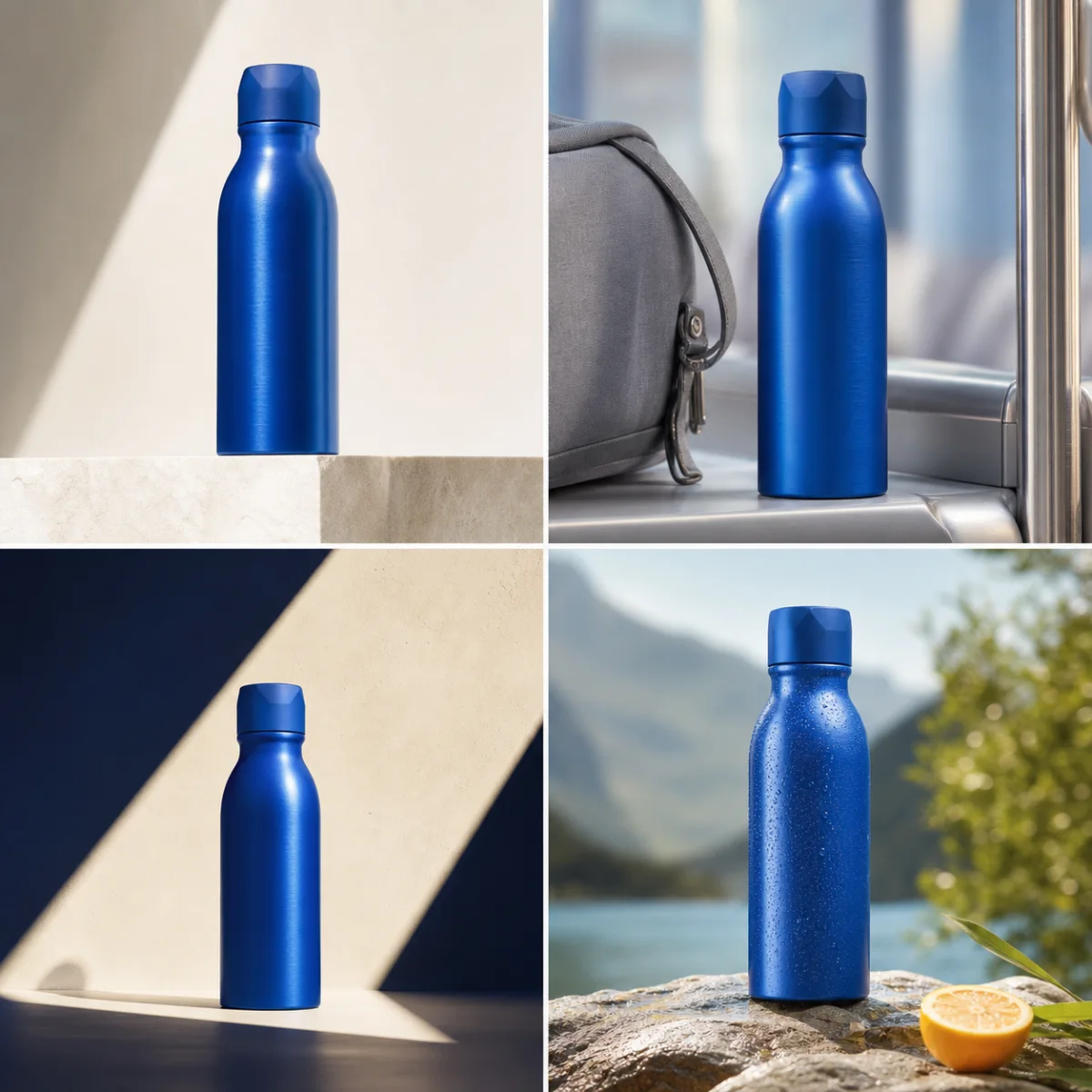
Commercial product imagery needs more than a beautiful background. The object must retain its shape, proportions, closures, controls, label structure, material finish, color, scale, and grounding across the set. Pixtor’s product apps turn those requirements into explicit constraints and coordinate camera, lighting, palette, negative space, and output format around the product.
Render one exact product across distinct worlds that still share a campaign palette, lens language, lighting logic, and brand mood.
Build Packshot WorldsDevelop repeatable front, detail, scale, and lifestyle views with clean commerce hierarchy and useful negative space.
Open Listing StudioGenerate deliberately different performance concepts without inventing prices, claims, ratings, certifications, or unreadable promotional copy.
Create Ad VariantsUse a clear reference and add optional brand colors, audience context, approved page links, or specific details that may never change.
Select packshots, listing images, UGC direction, ad variants, product motion, or a coordinated multi-asset campaign.
Review packaging fidelity, claim restrictions, camera, lighting, composition, aspect ratio, outputs, and the exact credit quote.
The strongest campaign system can explore radically different worlds while making the product instantly recognizable in every one. References, brand constraints, and a consistent visual grammar keep the exploration useful.
Yes. Packshot Worlds and Listing Studio are designed to reuse one approved product reference across several controlled compositions and environments.
The prompt can protect logo geometry and label placement, but small generated text may still be unreliable. Review every output and composite exact production typography or regulated label copy afterward when necessary.
With the Creative Director enabled, you can provide approved links as context. Pixtor uses the selected context to prepare a brief and asks you to review it before generation.
Yes. UGC Director builds a claim-safe social concept with presenter, setting, beats, shot style, and product moments. You remain responsible for substantiating claims and permissions.
Yes. Supported bring-your-own-key routes let the model provider charge your account while Pixtor applies its smaller orchestration and workspace fee.
Attach your context, review the complete generation brief, choose a compatible model, and see the exact credit quote before anything runs.