Enhance listing photos
Correct exposure, white balance, window detail, lens distortion, glare, and perspective while preserving the property's real geometry and visible condition.
Try Listing PolishPixtor improves property photography while preserving the facts of the home. Correct listing photos, virtually stage empty rooms, visualize clearly labeled redesigns, create twilight exteriors, and build walkthrough-style videos from a few ordered property images.
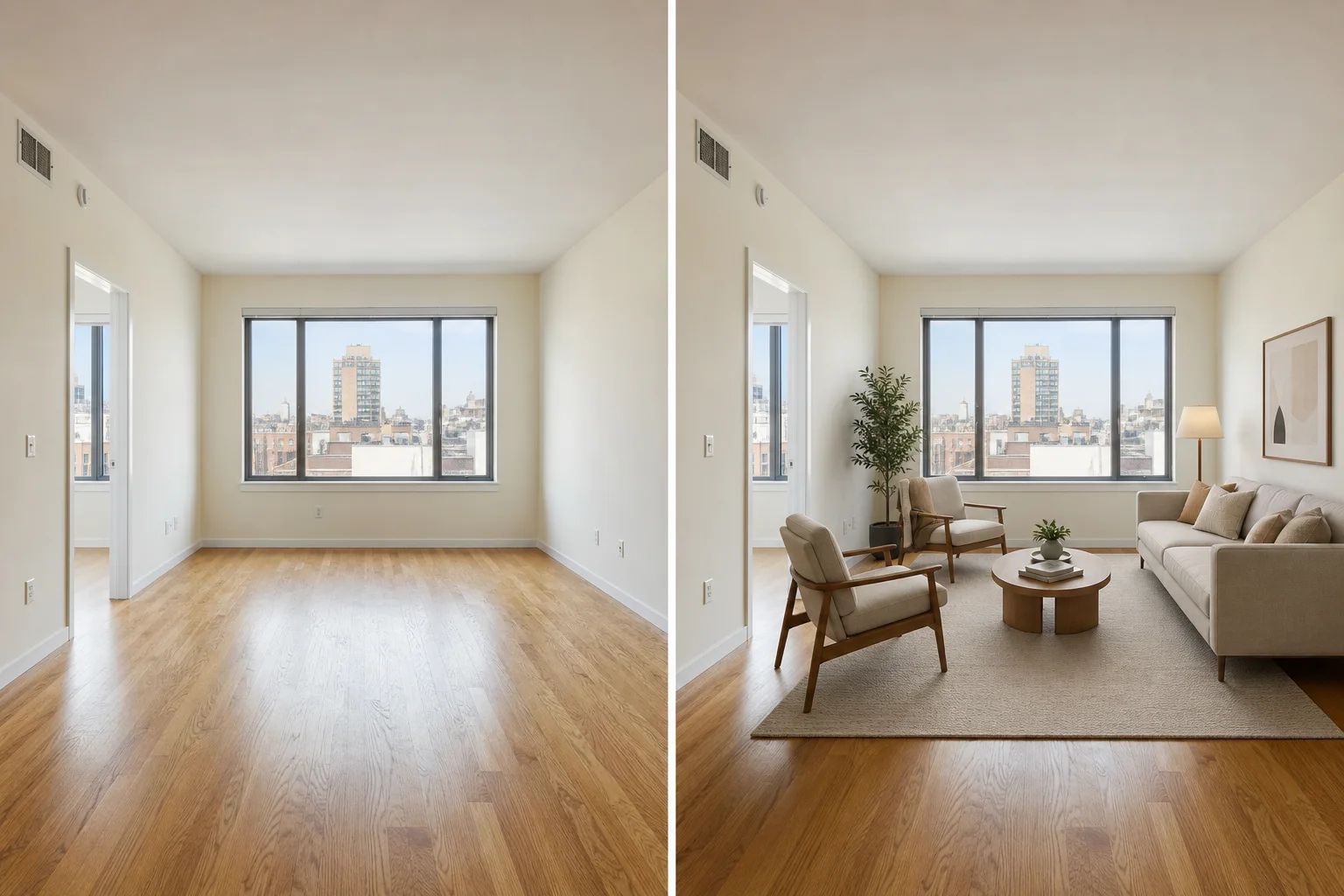
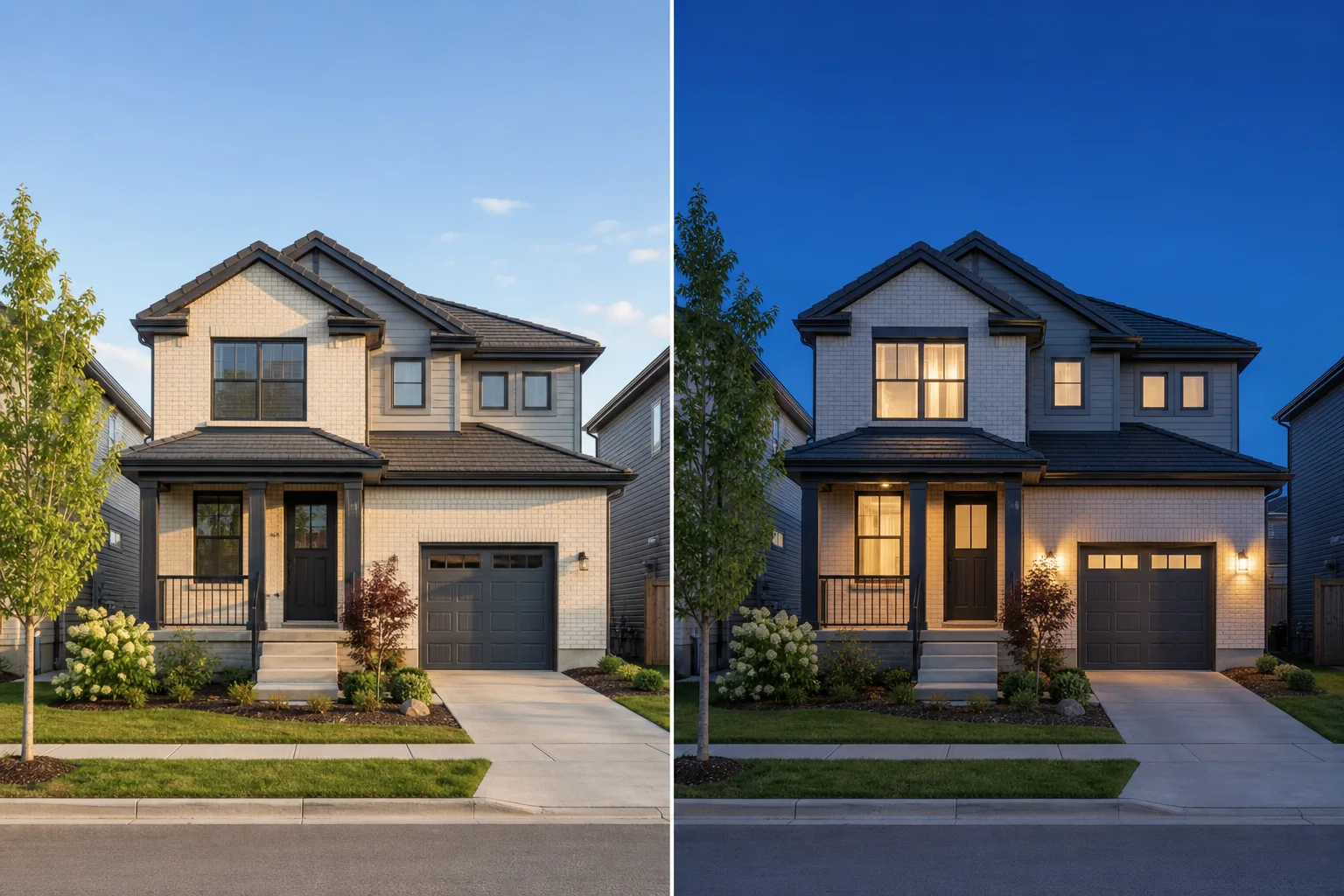
AI can correct photographic problems, add disclosed virtual furnishings, remove approved movable clutter, illustrate proposed renovations, change daylight into twilight, and animate selected photos into a listing video. The important distinction is whether an edit improves the photograph or changes what the property appears to contain. Pixtor makes that distinction explicit in every workflow.
Correct exposure, white balance, window detail, lens distortion, glare, and perspective while preserving the property's real geometry and visible condition.
Try Listing PolishAdd disclosure-ready virtual furniture, remove approved movable clutter, or explore clearly labeled renovation and curb-appeal concepts.
Explore Virtual StagingUpload ordered room photos and generate a polished walkthrough-style listing video without inventing unseen rooms or claiming a measured floor plan.
Build a WalkthroughEnhancement workflows lock architecture, proportions, fixtures, views, permanent finishes, and visible condition. Conceptual workflows are deliberately separated and labeled so agents can communicate possibility without presenting it as reality.
Clear answers about enhancement, staging, walkthroughs, and disclosure.
A real estate AI photo enhancer improves the photographic presentation of a property image—such as exposure, color, perspective, glare, noise, and window detail—while preserving the actual architecture, room contents, view, and visible condition. Pixtor separates this corrective workflow from virtual staging and conceptual redesign.
Yes. Pixtor can add plausibly scaled movable furniture and decor while preserving doors, windows, fixtures, flooring, room proportions, outlets, vents, egress, and visible property condition. Virtually staged images should be disclosed wherever required.
Pixtor can remove the specific movable belongings you identify, such as loose papers, personal photographs, cords, or temporary storage. The workflow is instructed not to erase damage, wear, hazards, utilities, or permanent property features.
Yes. Photo-to-Walkthrough accepts up to eight ordered property photos and creates an editorial walkthrough-style video using restrained motion and transitions. It does not claim that unknown rooms are connected or that the result is a continuous recording, inspection, or measured floor plan.
Not in the enhancement, staging, decluttering, or twilight workflows. Structural geometry and permanent features are locked. Renovation Vision and Curb Appeal Lab intentionally create proposed concepts, and those results are labeled as visualizations rather than the property's current condition.
Disclosure requirements vary by location, brokerage, MLS, advertising channel, and the type of edit. Pixtor identifies virtual staging, generated walkthrough motion, and renovation concepts as workflows that may require disclosure, but agents and publishers must verify the rules that apply to each listing.
Configure any workflow for free, review the complete prompt and credit quote, then decide whether to generate.