Pixtor AI Open Create
All apps/Vehicles/Vehicle Background Switcher
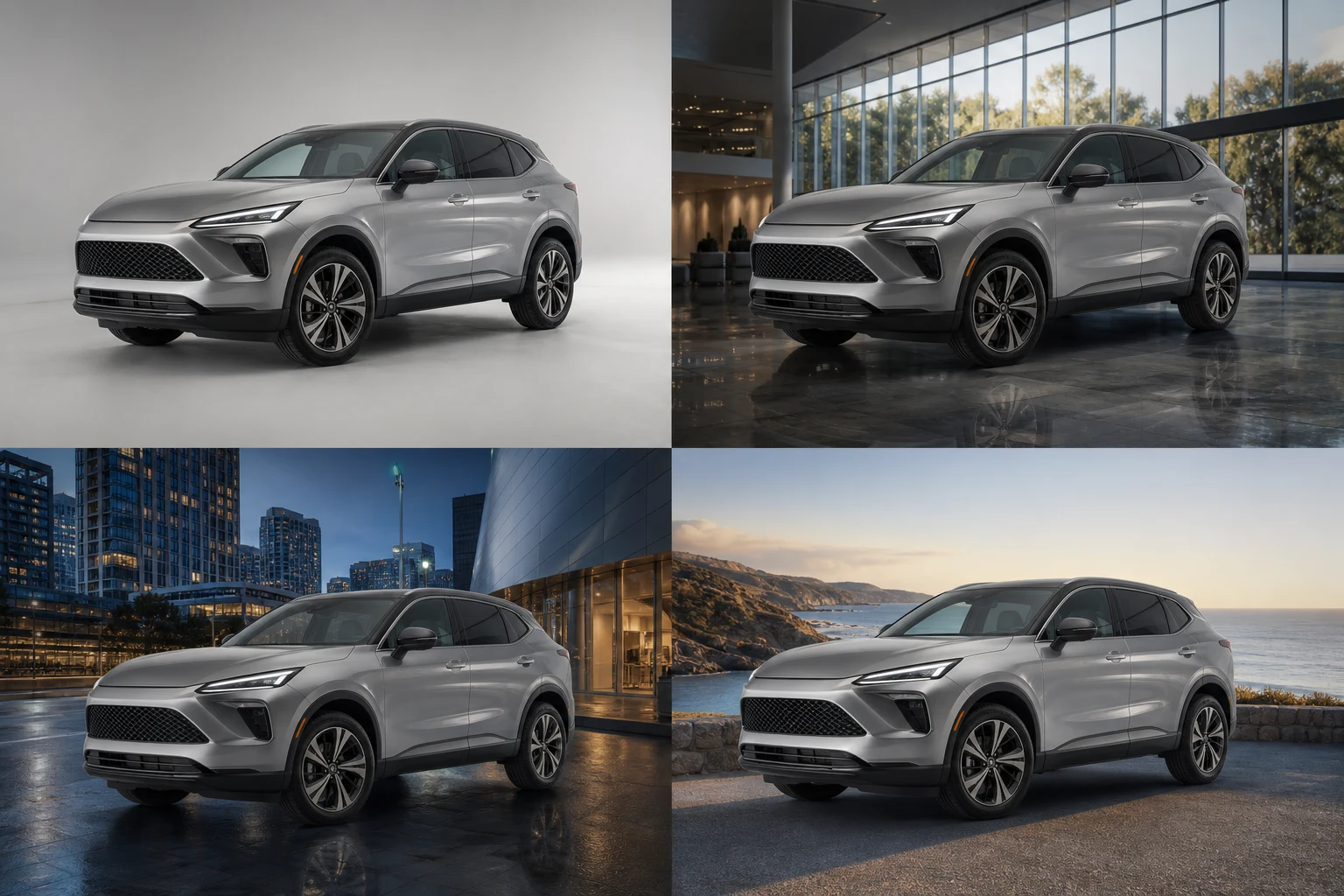
Vehicle Background Switcher dedicated generated workflow sample
New
Dedicated generated workflow sampleVehicle Background Switcher

Replace a distracting location with realistic studio, city, road, or landscape backdrops.

edit16:9
One car, four believable worlds

Vehicle Background Switcher

Isolate the exact vehicle and rebuild four presentation-ready environments while matching lens, scale, light, glass, paint reflections, ground contact, and weather.

Reference media requiredimage

References are uploaded privately after opening Create, so files never travel through the URL.

Workflow guardrailBackground replacement must not imply the vehicle was inspected, photographed, sold, or driven at the generated location. Preserve visible condition and disclose synthetic settings where appropriate.

Prepared route
Gemini 3 Pro Imageedit · 16:9
Continue in CreateReview the complete brief and credit quote before generating

Configuring this app spends no credits. Generation always requires your approval.

Purpose-built workflow

One outcome.
No prompt archaeology.

Pixtor turns these controls into a complete production brief, configures the recommended model and delivery settings, then lets you edit everything before generation.

  1. 01

    Upload one clean vehicle photo

  2. 02

    Choose a background family, ground surface, and condition policy

  3. 03

    Generate four physically matched environments

  4. 04

    Compare vehicle details and disclose background replacement when used in a listing

Original Pixtor workflow

This app uses Pixtor’s own prompts, interaction design, model routing, continuity rules, guardrails, and a dedicated generated preview designed to demonstrate the intended outcome.

#background#replace#dealer#car photo