Pixtor AI Open Create
All apps/Real Estate/Twilight Exterior
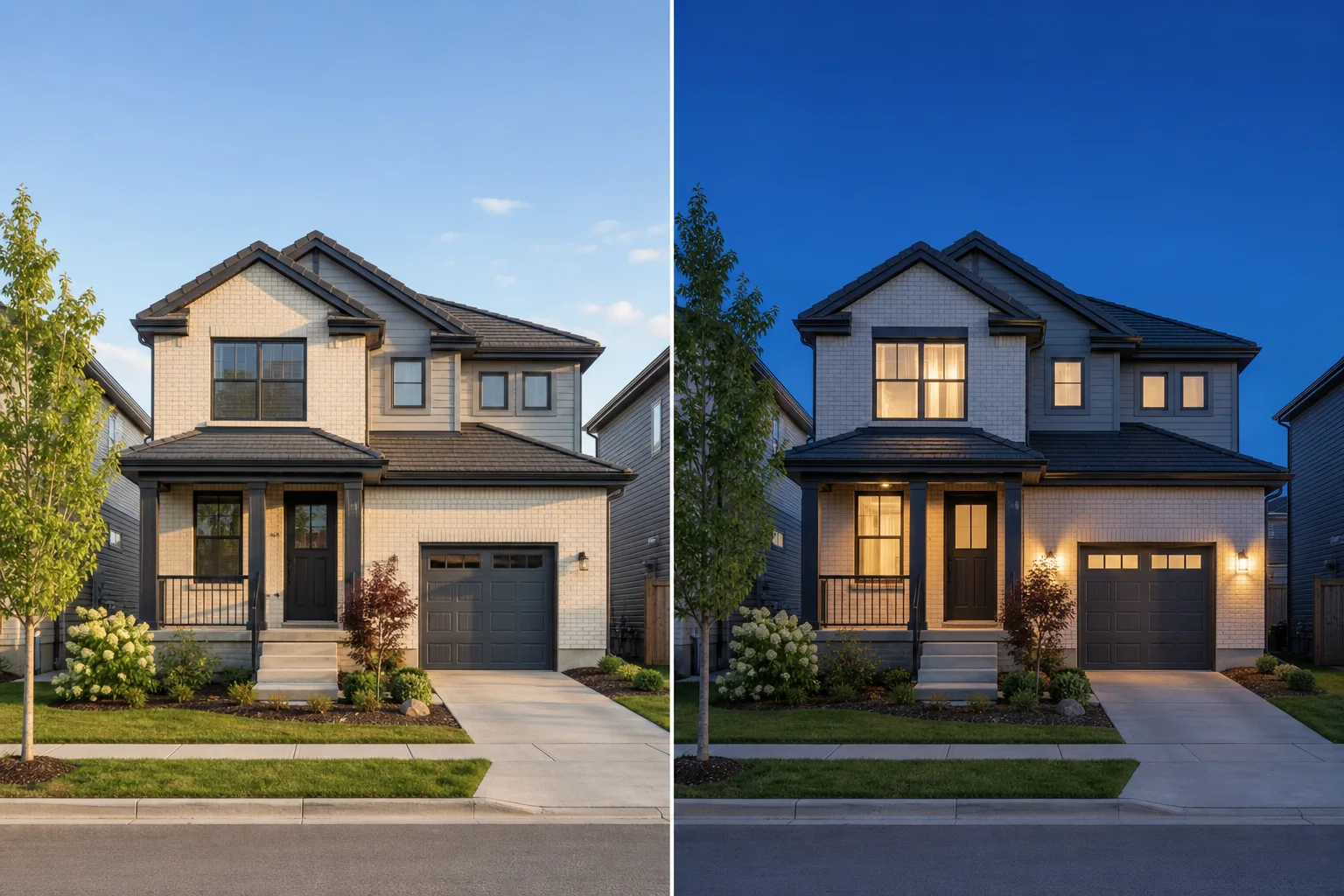
Twilight Exterior dedicated generated workflow sample
Popular
Dedicated generated workflow sampleTwilight Exterior

Turn a real daylight exterior into a polished, structurally faithful twilight hero.

edit16:9
Day-to-dusk conversion

Twilight Exterior

Change only environmental light, sky, atmosphere, and the plausible glow from fixtures already visible in the source while preserving the exact house, lot, landscaping, surroundings, and condition.

Reference media requiredimage

References are uploaded privately after opening Create, so files never travel through the URL.

Workflow guardrailOnly light, sky, and atmosphere should change. Do not add fixtures, amenities, landscaping, or architectural details that are not present in the source property.

Prepared route
Gemini 3 Pro Imageedit · 16:9
Continue in CreateReview the complete brief and credit quote before generating

Configuring this app spends no credits. Generation always requires your approval.

Purpose-built workflow

One outcome.
No prompt archaeology.

Pixtor turns these controls into a complete production brief, configures the recommended model and delivery settings, then lets you edit everything before generation.

  1. 01

    Upload one accurate daylight exterior

  2. 02

    Choose twilight phase, practical-light policy, and atmosphere

  3. 03

    Generate two faithful evening treatments

  4. 04

    Compare property details with the source before publishing

Original Pixtor workflow

This app uses Pixtor’s own prompts, interaction design, model routing, continuity rules, guardrails, and a dedicated generated preview designed to demonstrate the intended outcome.

#twilight#exterior#listing#lighting