Pixtor AI Open Create
All apps/Face & Identity/Makeup Studio
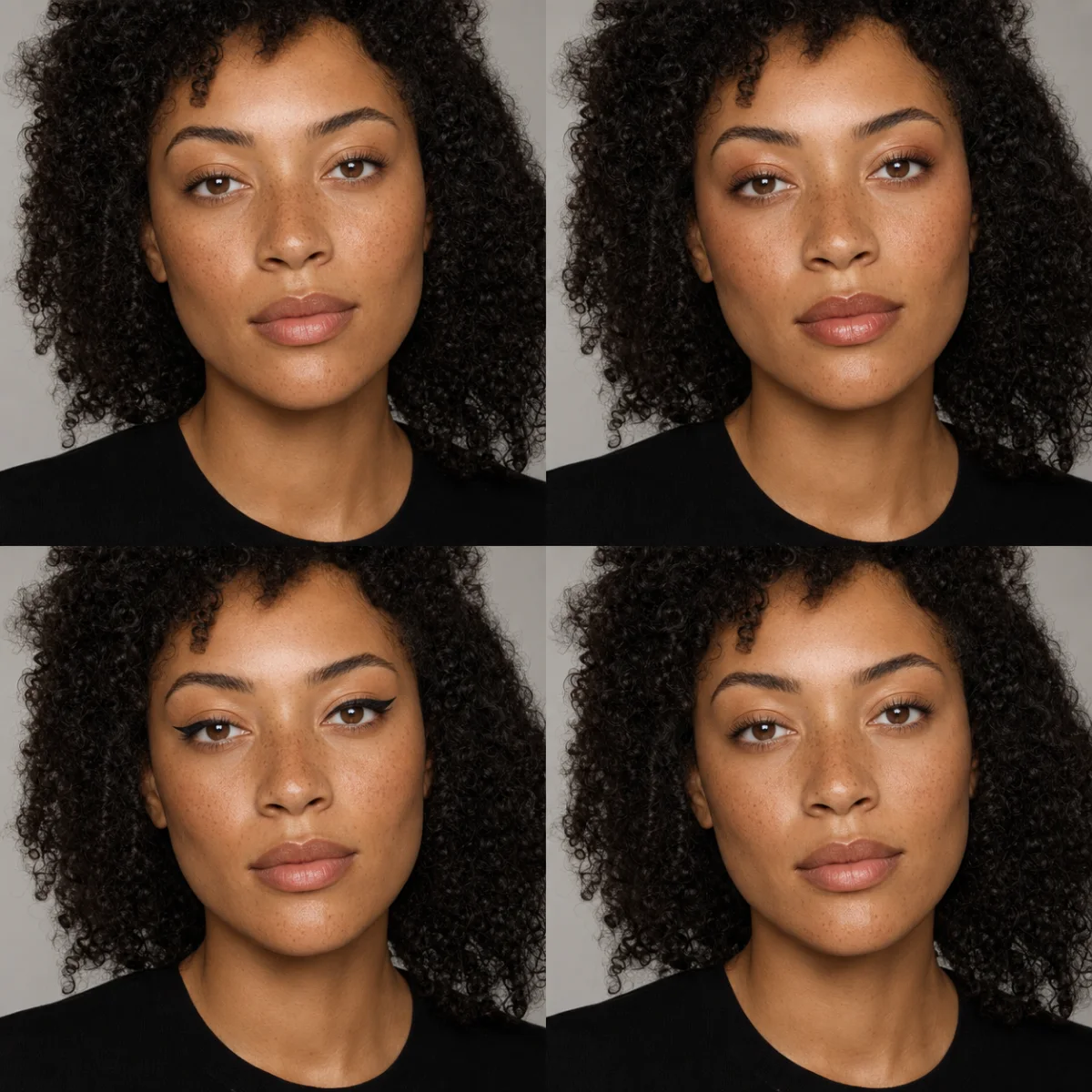
Makeup Studio dedicated generated workflow sample
New
Dedicated generated workflow sampleMakeup Studio

Explore credible makeup and grooming while keeping the person unmistakably themselves.

edit1:1
Identity-safe beauty direction

Makeup Studio

Preview coordinated beauty directions on a consenting adult portrait without reshaping facial anatomy, changing age, replacing skin texture, or drifting from the person’s real identity.

Reference media requiredimage

References are uploaded privately after opening Create, so files never travel through the URL.

Workflow guardrailUse your own portrait or an adult subject who explicitly agreed. Results are visual previews—not cosmetic, dermatological, or product-safety advice—and should not impersonate another person.

Prepared route
Gemini 3 Pro Imageedit · 1:1
Continue in CreateReview the complete brief and credit quote before generating

Configuring this app spends no credits. Generation always requires your approval.

Purpose-built workflow

One outcome.
No prompt archaeology.

Pixtor turns these controls into a complete production brief, configures the recommended model and delivery settings, then lets you edit everything before generation.

  1. 01

    Upload a clear portrait of a consenting adult

  2. 02

    Choose direction, finish, intensity, and non-negotiables

  3. 03

    Generate four identity-locked previews

  4. 04

    Use the chosen look as planning reference

Original Pixtor workflow

This app uses Pixtor’s own prompts, interaction design, model routing, continuity rules, guardrails, and a dedicated generated preview designed to demonstrate the intended outcome.

#makeup#beauty#identity#portrait