Pixtor AI Open Create
All apps/Video Editing/Camera Remix
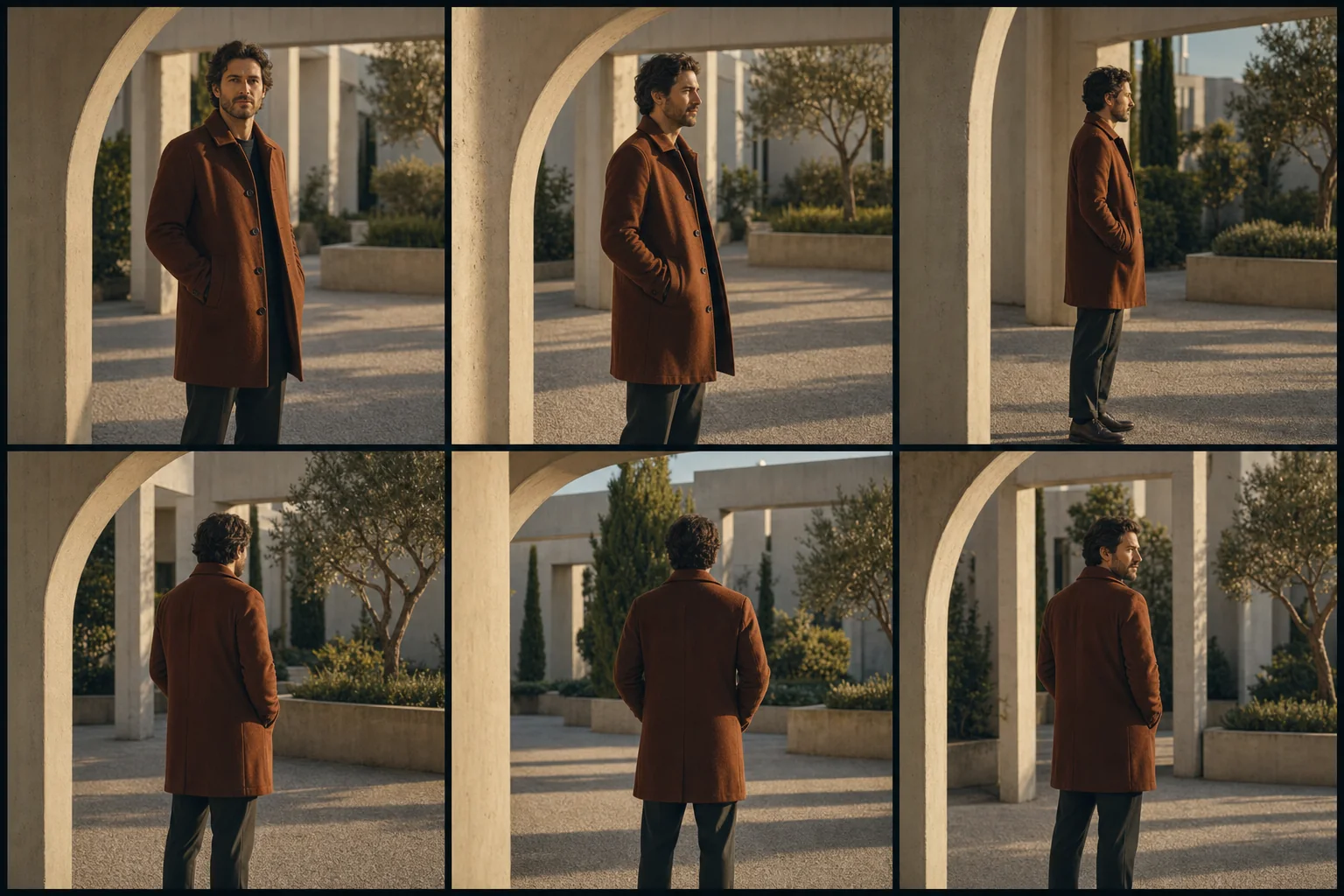
Camera Remix dedicated generated workflow sample
New
Dedicated generated workflow sampleCamera Remix

Turn one stable image or clip into a physically motivated cinematic move.

video9:168s
Directed camera motion

Camera Remix

Choose a camera path, motion energy, and focal behavior while keeping the subject, world, action, lens logic, and scene geometry coherent.

Reference media requiredimage · video

References are uploaded privately after opening Create, so files never travel through the URL.

Workflow guardrailUse footage and identities you own or have permission to transform. Motion references guide camera language and do not grant rights to copy another creator's footage.

Prepared route
Seedance 2.0video · 9:16 · 1080p · audio off
Continue in CreateReview the complete brief and credit quote before generating

Configuring this app spends no credits. Generation always requires your approval.

Purpose-built workflow

One outcome.
No prompt archaeology.

Pixtor turns these controls into a complete production brief, configures the recommended model and delivery settings, then lets you edit everything before generation.

  1. 01

    Attach one stable image or permitted source clip

  2. 02

    Choose camera move and motion energy

  3. 03

    Describe one supporting subject action

  4. 04

    Generate and review the directed eight-second shot

Original Pixtor workflow

This app uses Pixtor’s own prompts, interaction design, model routing, continuity rules, guardrails, and a dedicated generated preview designed to demonstrate the intended outcome.

#camera#motion#cinematic#video